


MangaNest:QToon Lite & Comic
4.612.00 Reviews
App Specs
- Version
- 1.6.21
- Updated On
- License
- Free
- Downloads
- 100,000+
- Developer
- Quanettema
- Categories
- Comics
- Platform
- Android
Screenshots
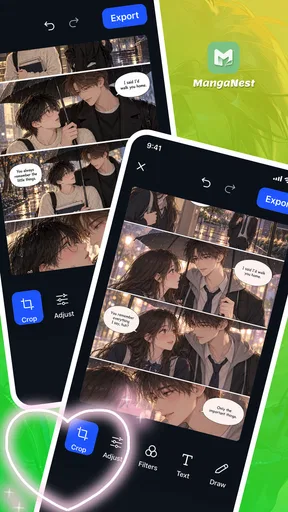
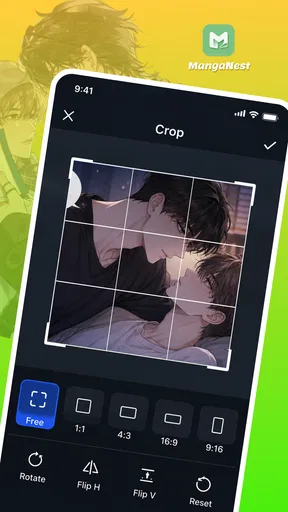
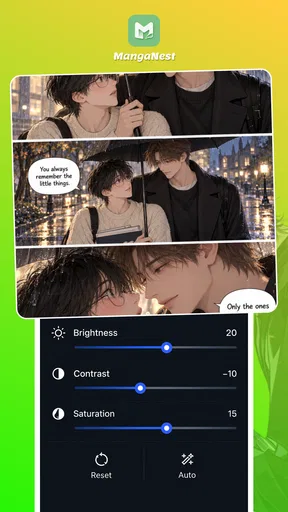
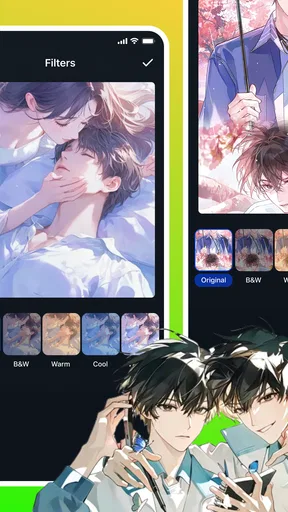
 Analysis by AppCompare
I look at a comics reader differently from a general entertainment app: the important question is whether it makes it easy to return to a story without turning every reading session into a setup exercise. MangaNest: QToon Lite & Comic is aimed at readers who want manga, webtoons, and comic chapters gathered in one place. My overall take is that it is worth considering if you enjoy switching between those formats, but the experience depends on how smoothly the app fits your own reading habits and device.
Start with a small test, not a full library move
Before changing my regular reading routine, I would try a familiar title in each format I care about. That gives me a useful baseline: if I can find the manga I follow but struggle with the webtoon I want, I know where to focus my next check. It also avoids the frustrating mistake of moving all my reading over before I know whether the app suits me.
I would make that first test during an ordinary reading moment, not just while browsing casually. Search for a title, open a chapter, read a little, leave the app, and return later. That small loop answers a practical question that a quick look at a catalog cannot: does the reader fit the way I actually pick up and put down comics throughout the day?
Getting past the first reading hurdles
I use this section to focus on the first session: how to tell whether a snag comes from finding a title, opening a chapter, or getting comfortable with a format. I’d keep the trial narrow and change one thing at a time, so a small hiccup doesn’t turn into an unnecessary reset of my whole reading routine.
Start with a small test, not a full library move
When trying a new comics app, I avoid committing to a long list of series straight away. I first look for one manga and one webtoon I already know, then check whether I can find them and resume reading comfortably. That simple comparison helps separate a discovery problem from a reading problem: if familiar titles are awkward to locate, the app may not suit my browsing style; if they are easy to find but a chapter does not load as expected, I can troubleshoot that specific step instead of starting over.
That approach is especially useful with MangaNest because its appeal is breadth across comics formats. Manga pages and vertically scrolling webtoons ask for different reading rhythms. I would test both before deciding whether it can replace a specialist app I already use. A good first session should answer practical questions: can I identify the right series, do chapter names make sense to me, and is it comfortable to keep reading on my phone?
Check the basics before blaming the reader
If a title or chapter seems unavailable, I would first confirm that I have selected the intended series and chapter rather than a similarly named result. Then I would close and reopen the app, check that the device has a working internet connection, and retry. Those are ordinary checks, not a promise that every loading issue has the same cause. They are useful because they take little effort and help narrow down whether the problem is a momentary connection interruption or something specific to the content.
Worth Reading Before You Choose

Flipboard Shows What News Apps Must Do Beyond the Feed

Switching to Android Auto Means Rethinking Your Driving Routine

Google Calendar Makes a Crowded Week Easier to Manage

Ludo King Makes the Most of the Minutes Between Plans

Baby Panda World Brings Quick Play to Modern Phones, but Its Game Library Feels Busy

ESPN’s Live Game View Makes Following Close Games Easier
I also recommend testing the app on the connection and in the setting where you expect to use it. A chapter that opens at home may behave differently during a commute if the signal is inconsistent. If reading on the go matters, try a short session before relying on the app for a long trip. I would not assume that a title will be available offline unless the app clearly provides that option; plan around an active connection when you need dependable access.
On compatibility, MangaNest is listed for devices running Android 7.0 or later. That gives owners of older supported Android devices a reason to try it, but a compatible operating system does not guarantee identical performance across every phone. If pages feel slow, close other demanding apps and try again before concluding that the comic itself is the issue. These checks are more useful than repeatedly tapping a stalled screen.
Make the reading routine easy to recover
My most useful habit with any chapter reader is to keep track of the last title and chapter I finished outside the app when I am testing it. A short note is enough. If I switch devices, close the app unexpectedly, or lose my place, I can return to the story without guessing. I would verify that the app has kept my position before relying on it as the only record of progress.
When a chapter will not open, I would change one thing at a time: retry the same chapter, then try another chapter from the same series, and finally check a different title. If only one chapter is affected, that points toward a content-specific issue rather than a general failure. If several titles behave the same way, checking the connection and restarting the app is a more sensible next step. This small sequence saves time and avoids repeatedly reinstalling an app when a basic retry may be enough.
For regular readers, I would also keep the first few sessions deliberate. Find a couple of current reads, learn how the app presents their chapters, and then decide whether its organization works for you. This is a practical trade-off: a single place for different comic styles can reduce app-switching, but only if you can reliably get back to the stories you care about. If the interface makes that routine feel like a search each time, a more focused reader may be easier to live with.
Know when the problem may be elsewhere
A comics app cannot fix a weak network, an older device struggling with several open apps, or a title that is simply difficult to identify. If a page fails to load on multiple attempts, I would test another app or a regular webpage on the same connection. If those are slow too, the network is the likelier culprit. If only one particular chapter has trouble while other content works, repeatedly changing phone settings is unlikely to help.
It is also worth distinguishing personal preference from a technical fault. Some readers want a dedicated manga catalog, while others prefer a broad mix that includes webtoons and comics. MangaNest is more relevant to the second group. If you mainly read one format and already have a specialist app with a smoother routine, switching just for the sake of consolidating apps may not improve anything. I would compare the time it takes to find and resume a story, not merely the number of formats shown in the app’s scope.
What MangaNest is best suited to
Here I look at the reading habits that make a mixed-format app worthwhile, and the ones that make a specialist reader a better fit. I’d compare how easily I can return to a manga and a webtoon I actually follow, rather than judging by range alone; that gives me a practical basis for deciding whether to keep using it.
A multi-format option, with sensible expectations
MangaNest is a free comics app from Quanettema, and its central draw is having different kinds of serial comics in one reading destination. That makes it a natural candidate for someone who alternates between manga and webtoons instead of staying within one format. The app has a 4.2 average from around 1.2 thousand ratings, with 10 thousand or more installs. Those figures suggest a modest but established audience; they are context, not a guarantee that every reader will find the catalog or flow ideal.
The app’s current version is 1.6.18, and its content rating is Teen. I would treat that age guidance as a reason for families to review the app and its available material themselves, rather than assuming every series is suitable for every teenager. The listed release date is June 16, 2026. For a prospective reader, the more immediate question is still whether the stories and reading routine they want are available and comfortable to use.
A realistic use case is a reader who follows a manga during a quiet evening, then catches up with a webtoon in short breaks the next day. Keeping both kinds of reading in one app can make that routine simpler than moving between several readers. I would still test the way each format feels on my screen. A page-by-page manga reader and a vertically scrolling comic can demand different hand positions and attention, so one app covering both does not automatically make both equally enjoyable.
Where it fits among the usual alternatives
Compared with a specialist manga reader, MangaNest’s mixed-format focus is its clearest distinction. A dedicated option may feel more natural if your entire reading life revolves around manga and you value a workflow tailored to that format. On the other hand, readers who follow webtoons as well may appreciate having fewer separate apps to open. I would not choose based on breadth alone: the better fit is whichever app makes your most frequent reading task quickest and most comfortable.
Compared with reading comics in a browser, a dedicated app can feel more like a regular part of a daily routine, but the browser can be convenient when you want to check a single title without adopting another app. MangaNest makes more sense if you expect to return to several series. If you only read occasionally, or prefer not to keep another reading app on your device, using a browser or sticking with your current reader may be the simpler choice.
Who should try it—and who may prefer something else
I would suggest MangaNest to readers who genuinely move between manga, webtoons, and other comics and want to see whether one app can cover those habits. It is also a reasonable free option for someone curious about a mixed-format reader who is willing to test a few titles before settling in. Because it supports Android 7.0 and up, it may be relevant to people who cannot or do not want to upgrade an older compatible device just to try a comics app.
I would steer away from it if you need a particular series to be available every time, if you require a reading feature that you have not personally confirmed, or if your existing specialist reader already handles your routine well. I would also avoid relying on it as the sole plan for a long offline journey without first checking that your intended reading works in that situation. The best reason to switch is not the promise of one app for everything; it is a smoother, repeatable way to reach the comics you actually follow.
Make a commute test useful
For a realistic trial, I would choose a short chapter and try it once at home and once in the kind of place where I normally read on the move. That is not a test of raw speed; it is a way to see whether the app remains practical when I have only a few minutes and less reliable attention. If I need to search repeatedly or reconstruct where I stopped, the convenience of combining formats may not outweigh that friction.
I would also avoid judging the reader only by its first screen. A useful check is whether I can move between a manga and a webtoon without losing track of which series I meant to continue. This tells me more about its fit for a mixed reading habit than simply browsing several titles. If my routine is mostly one long session with a single series, a specialist app may still be the calmer choice.
Age guidance and choosing what to read
Since the app is rated Teen, I would not treat that label as a substitute for deciding whether an individual comic is appropriate. A parent or younger reader can make a better choice by checking the specific titles they plan to open and keeping the first session supervised when that matters. That is especially sensible in a broad comics reader, where different series can have very different tones even when they share the same app.
The same care helps adults who want a particular mood from their reading. If I am looking for a light break, I would check a series before settling into it rather than assuming every result will match that expectation. A little selectiveness at the start makes a mixed catalog more useful and reduces the chance that the app’s range feels like noise.
My practical verdict
MangaNest is most appealing as a flexible home for readers who split their time across comic formats. I like the idea of reducing app-hopping, but I would judge it by a short, focused trial: find a familiar manga, open a webtoon, leave and return, and see whether the next reading session feels straightforward. If those basic steps work comfortably, it may earn a place in your routine. If you spend more time searching or recovering your place than reading, a dedicated alternative is likely the better choice.
In short, I would give it a try if variety matters more to you than having a specialist tool for just one kind of comic. Keep expectations practical, test it on your usual connection, and let your own reading pattern decide. MangaNest is not automatically the right reader for every comics fan, but for someone who wants manga and webtoons close at hand, it is a sensible option to explore.
Pros
- Offers a broad selection of manga and comics in one app.
- Lite branding suggests a streamlined option for supported devices.
- Genre and series browsing can make it easier to find new reads.
- Convenient for reading comics on the go.
- A dedicated comic reader keeps reading separate from general browsing.
Cons
- Content availability may vary by region or change over time.
- Some titles may be incomplete or have irregular update schedules.
- Reading comfort depends on screen size and image quality.
- The app may require an internet connection to access or load content.
- Check the app’s permissions and privacy policy before signing in.
FAQs for MangaNest:QToon Lite & Comic
What is MangaNest: QToon Lite & Comic?
MangaNest: QToon Lite & Comic is a digital reading app for people who enjoy manga, comics, and webtoon-style stories. Its catalog and available genres can vary by region and over time, so check the app’s current listing and in-app library to see whether it has the titles you want. Before downloading, also review the developer’s description and screenshots to confirm the app’s format and features suit your reading preferences.
Is MangaNest: QToon Lite & Comic free to use?
The app may be available to download without an upfront charge, but that does not necessarily mean every title or feature is free. Apps in this category can include advertising, optional purchases, subscriptions, or other access limits, and these details may change with updates. Check the store listing and the app’s payment screens before signing up or making a purchase, and read any renewal terms carefully if a subscription is offered.
Can I read comics offline in MangaNest: QToon Lite & Comic?
Offline reading depends on whether the app provides a download feature and whether a particular comic can be saved for later. Do not assume that titles will remain available without an internet connection simply because they appear in your library. Look for download or offline-access options in the app, and check any storage, account, or licensing restrictions. If offline access matters to you, verify it with a title before relying on it while traveling.
Is MangaNest: QToon Lite & Comic safe, and what information might it collect?
No app can be declared completely safe based only on its name, so review its developer details, recent store reviews, permissions, and privacy policy before installing. Permissions should make sense for the features you use; be cautious if a request seems unrelated to reading comics. The app’s data practices may include collecting usage or device information, and they can change over time, so consult the current privacy disclosures for your platform.
How can I find my favorite comics, and what should I do if a title is missing?
Start by browsing the available categories or using the app’s search function, if provided. Catalogs can differ by language, country, licensing, and app updates, so a comic that is popular elsewhere may not appear in your version. Check spelling and alternate title names, update the app, and consult its support options if needed. Availability is not guaranteed, so confirm that the stories you want are listed before downloading.


